Tickets from every channel
Emails, website forms and live chat create tickets automatically.
Track, prioritise and solve customer tickets faster. Bring email, website forms and live chat into one queue with SLAs your team can meet.
 Odoo HelpdeskOdoo app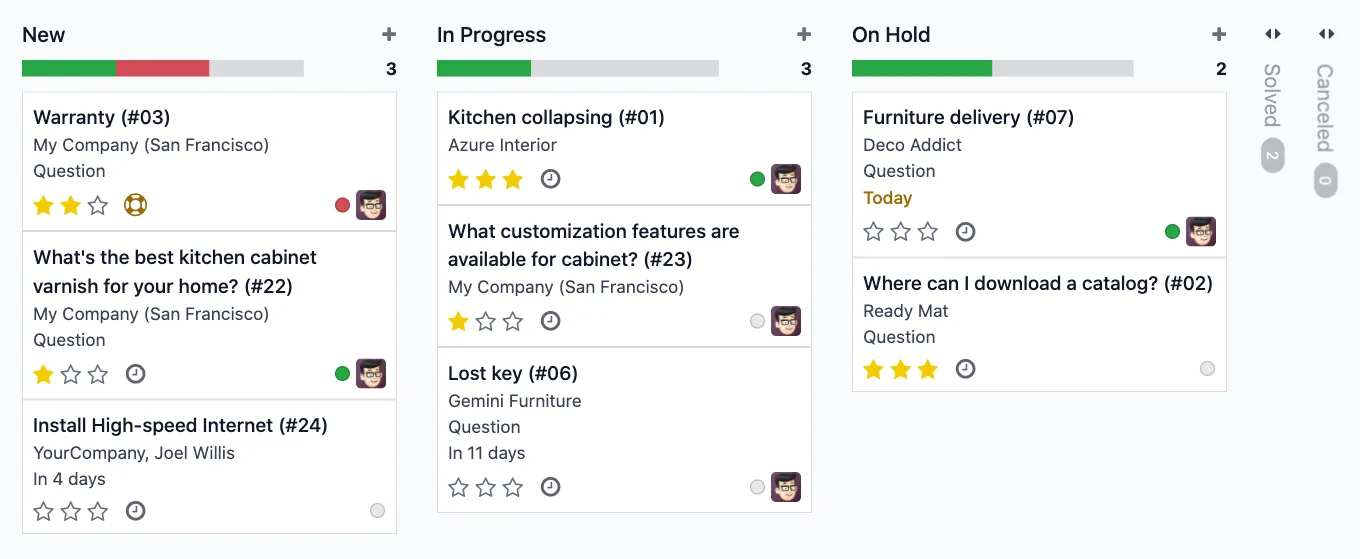
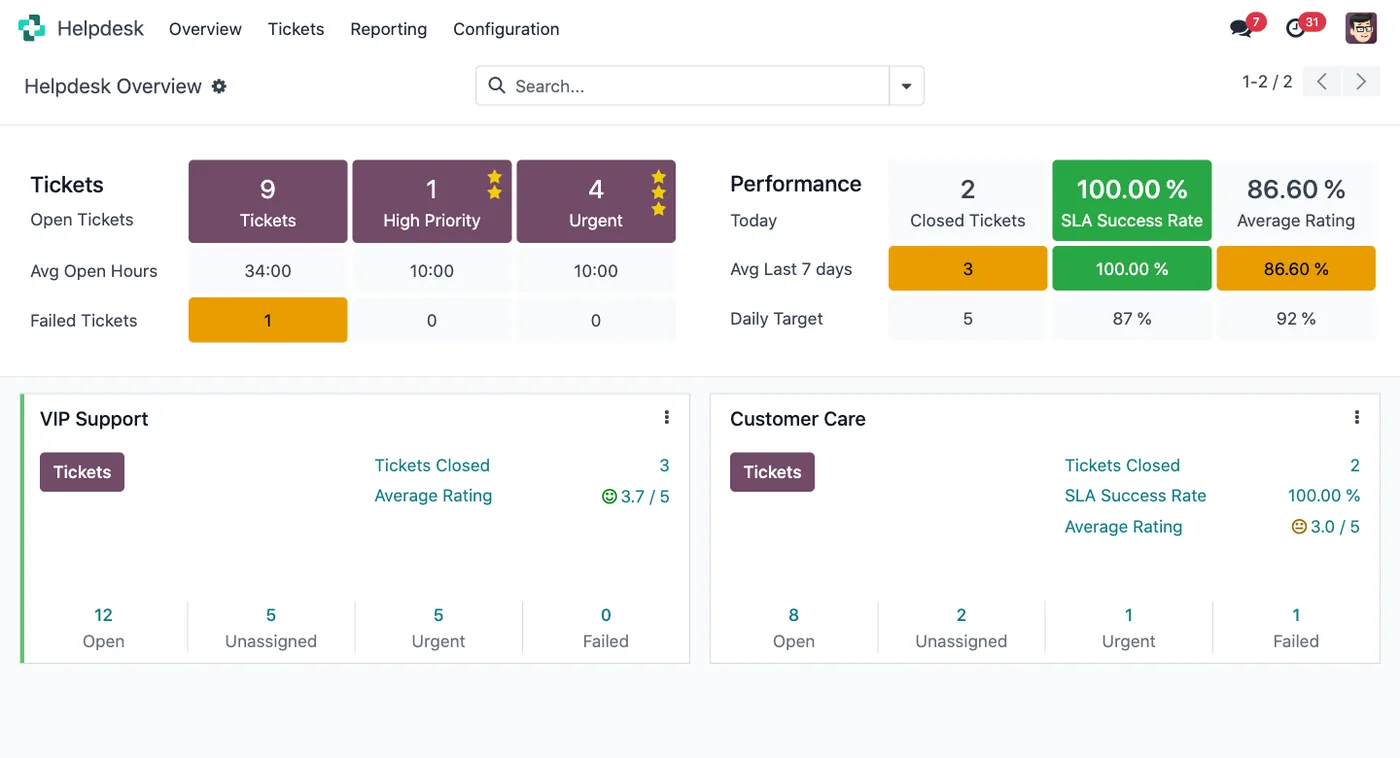
The helpdesk overview shows open, urgent and failed tickets per team, along with SLA success and customer ratings.
The capabilities we configure and train your team on.
Emails, website forms and live chat create tickets automatically.
Set response and resolution targets and let Odoo track them.
Automatic emails and actions as tickets move through stages.
Email templates for the questions your team answers most.
Link FAQs, forum posts and help content to tickets.
Collect satisfaction ratings when tickets are closed.
A closer look at the screens your team will use every day.
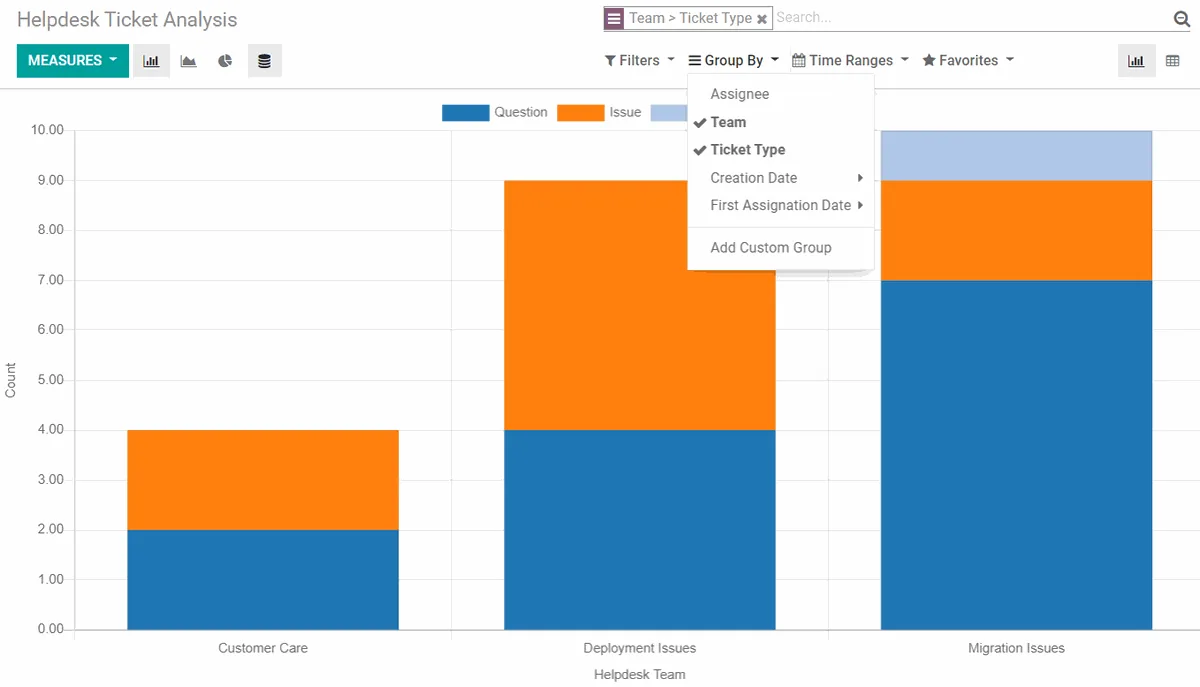
Analyse tickets by team, type and stage to plan staffing and improve resolution times.
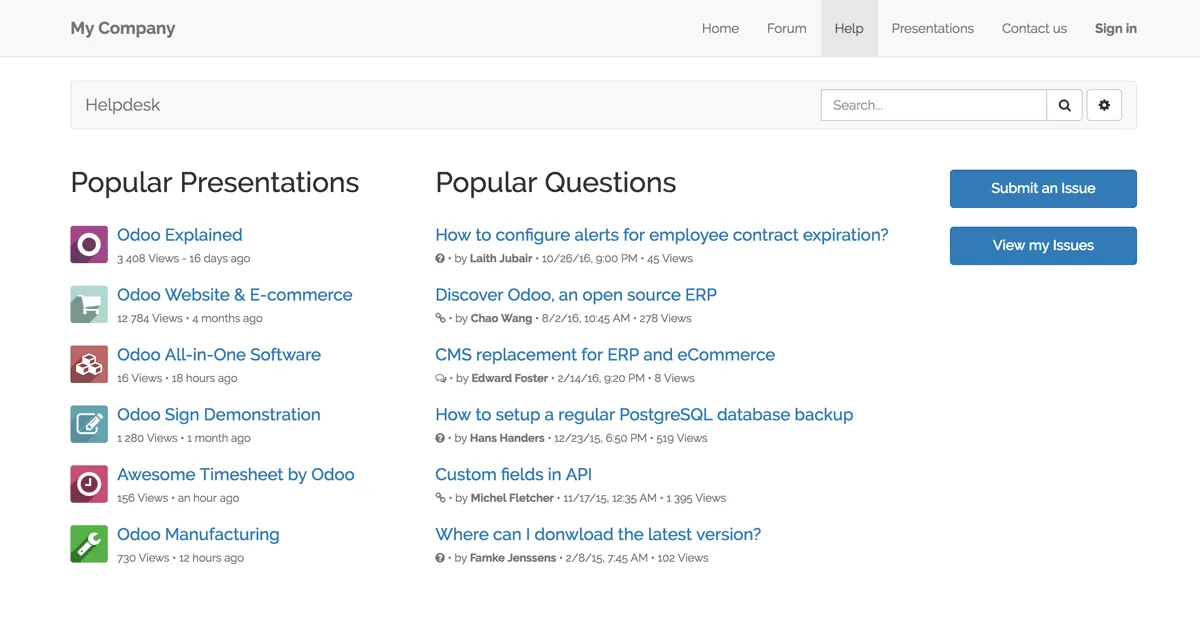
Give customers a portal to submit issues, follow their tickets and find answers on their own.
We configure Odoo's Saudi localization during your rollout and support your team in Arabic and English.
Odoo apps share one database, so data flows between them without extra integrations.
Talk to our Odoo team in Riyadh about your processes, data and timeline.
 Odoo Project
 Odoo CRM
 Odoo Website
 Odoo Sales