Reordering rules
Create RFQs automatically when stock falls below your minimum.
Restock on time without overbuying. Create RFQs from real stock levels, compare vendor offers and check bills against what you ordered and received.
 Odoo PurchaseOdoo app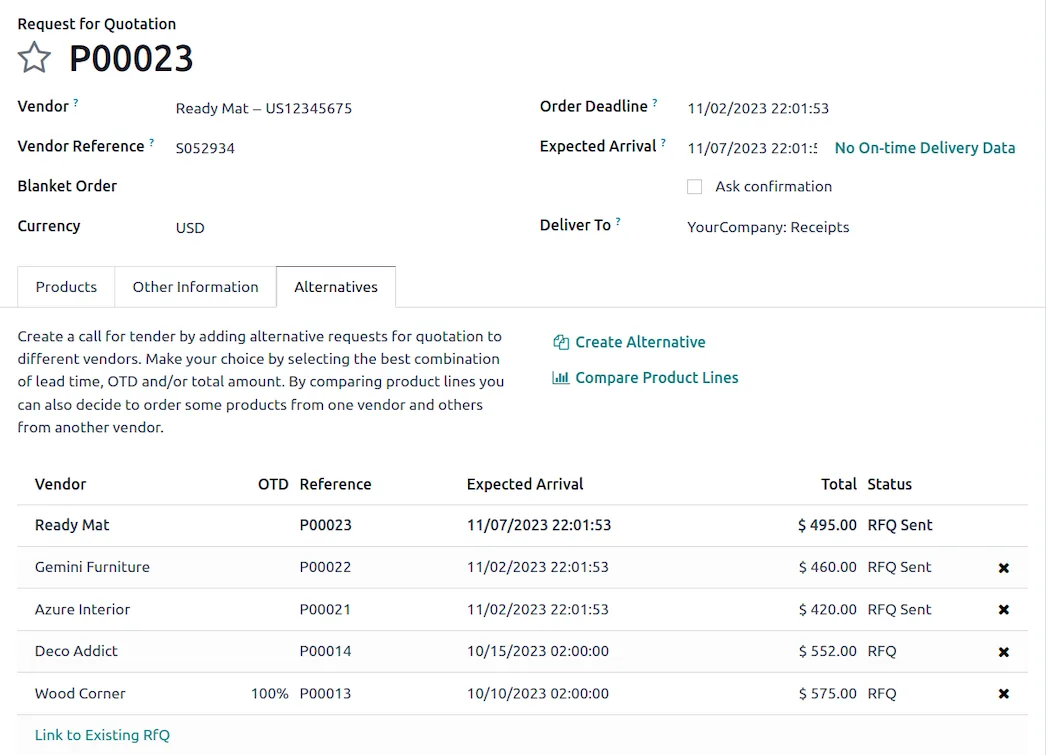
The purchase dashboard shows RFQs to send, waiting and late, alongside order values and vendor lead times.
The capabilities we configure and train your team on.
Create RFQs automatically when stock falls below your minimum.
Blanket orders and calls for tender with alternative RFQs.
Import vendor prices, product references and delivery lead times.
Pay on ordered or received quantities and track each bill's status.
Measure spend and vendor performance, including on-time delivery.
Buy for several companies from one Odoo database.
A closer look at the screens your team will use every day.
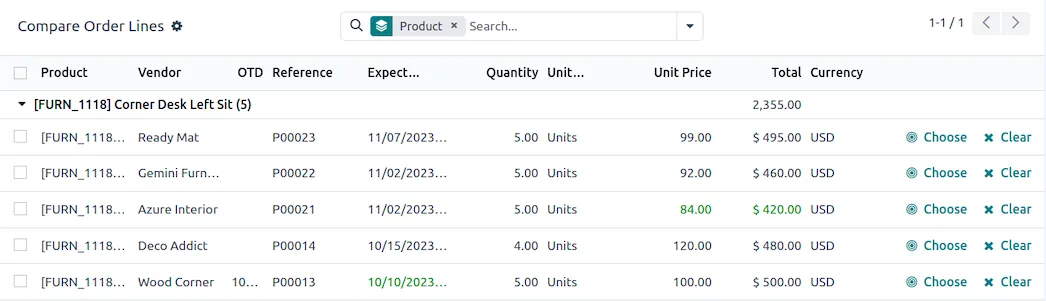
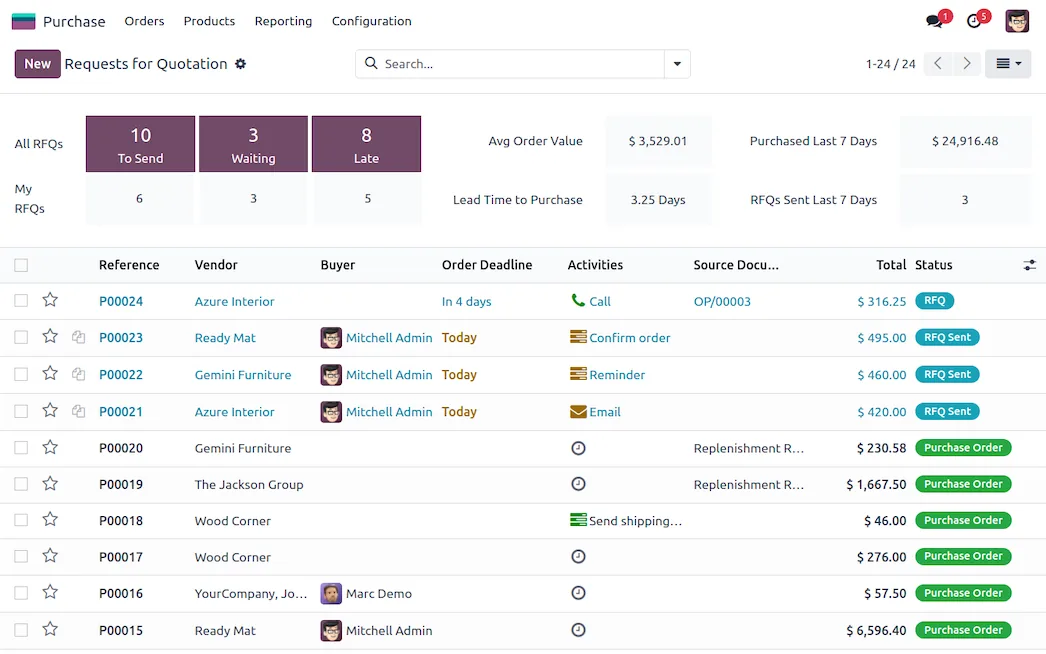
Send alternative RFQs to several vendors and pick the best price or lead time for each product.
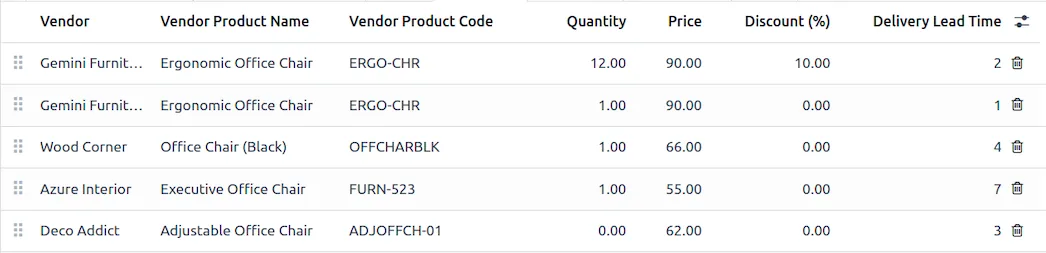
Keep each vendor's product names, prices, discounts and lead times on the product.
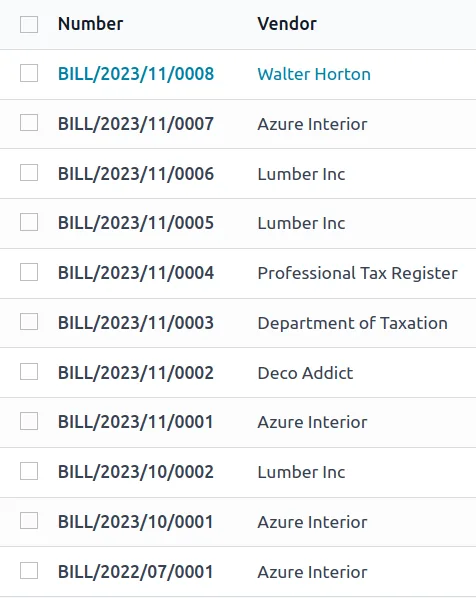
Bills are created from purchase orders, so you only pay for what was ordered or received.
We configure Odoo's Saudi localization during your rollout and support your team in Arabic and English.
Odoo apps share one database, so data flows between them without extra integrations.
Talk to our Odoo team in Riyadh about your processes, data and timeline.
 Odoo Inventory
 Odoo Accounting
 Odoo Manufacturing
 Odoo Sales